For students

Your whole semester. One folder per class.

Paste the chapter. Get the visual, the flashcards, the map and a quiz. Then ask the chat, which starts from your own chapters.

Start your first course free

No credit card. One course and three chapters free.

The Biology 101 course folder in VisualNote AI: three chapter cards with their visuals, quiz scores and weak spot chips, the exam date in the header, and the course chat on the right
3 chapters filedExam Sep 19

Watch a chapter go through

4 steps, scroll sideways

  1. VisualNote AI Start screen with a chapter PDF attached, the style row, the page ratio and language pickers, and the Make it visual button

    Paste text, drop a PDF, or add a YouTube link or URL.

  2. A chapter page in VisualNote AI: the Photosynthesis visual on the stage, the shelf with Visual, Flashcards, Mind map, Explanations and Your text under it, and the chapter chat on the right

    About 40 seconds later the chapter has its visual, with the shelf under it.

  3. The chapter chat in VisualNote AI explaining the Calvin cycle from the chapter text, with the chips Flashcards Calvin cycle, Add cycle visual and Quiz Chapter 2 under the reply

    Ask the chapter. Every reply ends in chips for the next step.

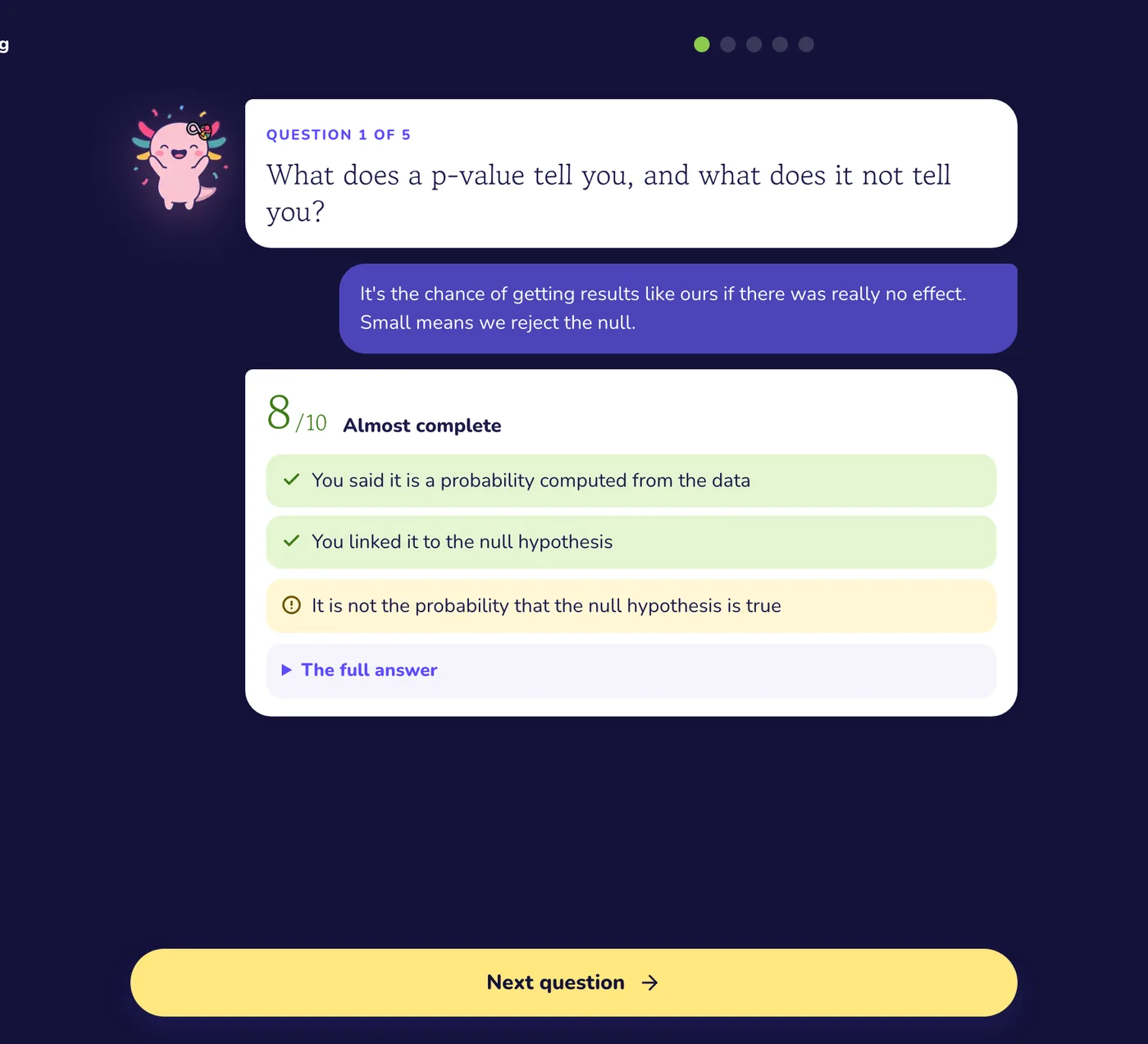
  4. Chapter 1 quiz result in VisualNote AI showing 1 of 5, every missed question with the right answer and a short reason, and a chip to draw a panel about the weak topic

    Quiz the chapter. Every miss is recorded there as a weak spot.

What you paste, what you get

You paste

  • Class notes, pasted as text
  • A chapter or lecture PDF
  • A YouTube lecture link
  • A web page URL

Every chapter gets

  • A one-page visual

    The chapter as one page you can picture during the exam, in the style you picked for the course.

  • A flashcard deck

    Question and answer cards from the same source, for the self testing that moves grades.

  • A mind map

    An editable map of how the ideas connect, for subjects where relationships matter more than lists.

  • Notes that stay

    Every explanation the chat gives you is filed on the chapter, so nothing good scrolls away.

  • A quiz per chapter

    A short quiz built from the chapter. Every miss is recorded on the card as a weak spot, with a count of how often you missed it.

A chat that starts from your chapters.

Ask it to explain a term, summarize a section or compare two chapters. It answers from the chapters in the folder first, and says so when it goes beyond them. Explanations you ask for inside a chapter are filed there as notes.

The chapter chat answering a question from the chapter text, with follow up chips under the reply

Every miss lands on the chapter.

Every chapter has a quiz built from its own text. What you miss is recorded on the chapter card as a weak spot, with a count of how often you missed it. Press Quiz on a chapter, or on the course to walk every chapter in order, five questions each.

A quiz score per chapter with a weak spot chip left open on one chapter

FAQ

What is an AI study tool, and how is this one different?

Most AI study tools give you a summary and a chat box. VisualNote files what you paste into a course: one folder per class, one chapter per paste. Each chapter gets a one-page visual, flashcards, a mind map and a quiz, and the chat starts from the chapters in that folder, saying so when it goes beyond them.

Do I have to set up a course before I can paste anything?

No. Everything starts with a paste. The first paste creates the course and becomes chapter one. Later pastes file themselves as the next chapter, and if a paste overlaps the open chapter the tool offers to add it there instead.

What can I ask the chat?

Anything about the chapter or the course on screen: explain a term, summarize a section, compare two chapters, make a study guide. Explanations are saved on the chapter as notes, so they are still there the night before the exam.

How do quizzes and weak spots work?

Every chapter has a quiz built from its own text. Whatever you miss is recorded on the chapter card as a weak spot, with a count of how often you missed it, so the weak spots pile up on the card where you need to work. Set the exam date on the folder and the course keeps it in view.

Is it free?

Yes. The free plan gives you one course with three chapters and 10 chat messages a day, no credit card. Enough to run one class through it before your next test and see if it sticks.

Related tools & guides

Your whole semester. One folder per class.

Free to try, no credit card.

Start your first course free