
A quiz the whole class plays at once.
Pupils raise a card, stand up or call out the answer, and the board shows the right one with a short reason. The questions come from your own notes, ready in a minute.
Free to try. No credit card, nothing to install.
Play the quiz
The demo opens on the questions with the cards. Choose an answer for the class, then show it.
Read the demo lesson as text
Photosynthesis
- Questions with the cards · 3 min
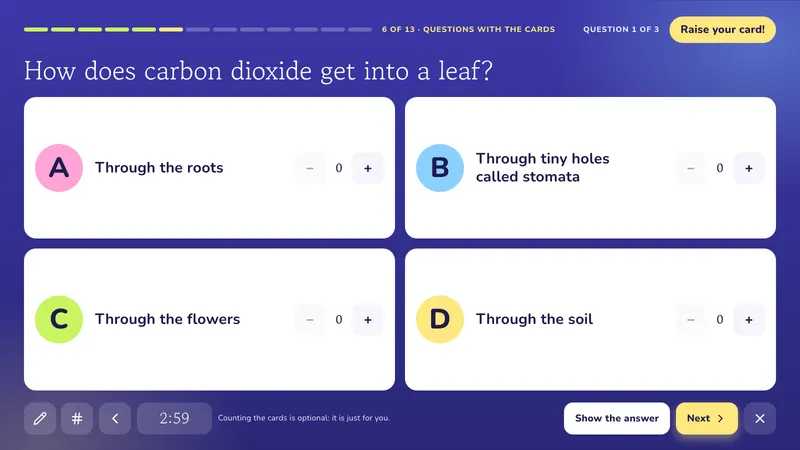
- How does carbon dioxide get into a leaf? A) Through the roots B) Through tiny holes called stomata C) Through the flowers D) Through the soil. Answer: B) Through tiny holes called stomata. Carbon dioxide enters the leaf through the stomata.
- What does chlorophyll do? A) It captures light energy B) It stores water C) It makes the roots grow D) It turns into soil. Answer: A) It captures light energy. Chlorophyll is the green pigment that captures the energy in sunlight.
- What does the plant make from sunlight, water and carbon dioxide? A) Salt and iron B) Glucose and oxygen C) Only water D) Smoke. Answer: B) Glucose and oxygen. The plant makes glucose, a sugar, and releases oxygen into the air.
- True or false, stand up · 2 min
- Plants take in water through their leaves. Answer: False. Water comes in from the soil, through the roots.
- Glucose can be stored as starch. Answer: True. The plant keeps glucose it does not use as starch.
- Hidden word · 1 min
The gas plants give out and we breathe in. Answer: Oxygen
How does the whiteboard quiz game work?
VisualNote writes multiple choice questions from your notes and shows them on the interactive whiteboard. Every pupil raises a printed A, B, C or D card, you show the answer, and the board explains why it is right. Add true or false or a hidden word with a tap, and the whole class answers them at once too.
- Ready in
- About a minute, from one page of notes
- Slide types
- 11, from quiz cards to a calm minute
- Works on
- Any interactive whiteboard, touch screen or projector, in the browser
- Languages
- English, Italian, Spanish, Portuguese, French
- Price
- 3 lessons a month free; Plus $13.99 a month
From a page of notes to the board
Start from your notes
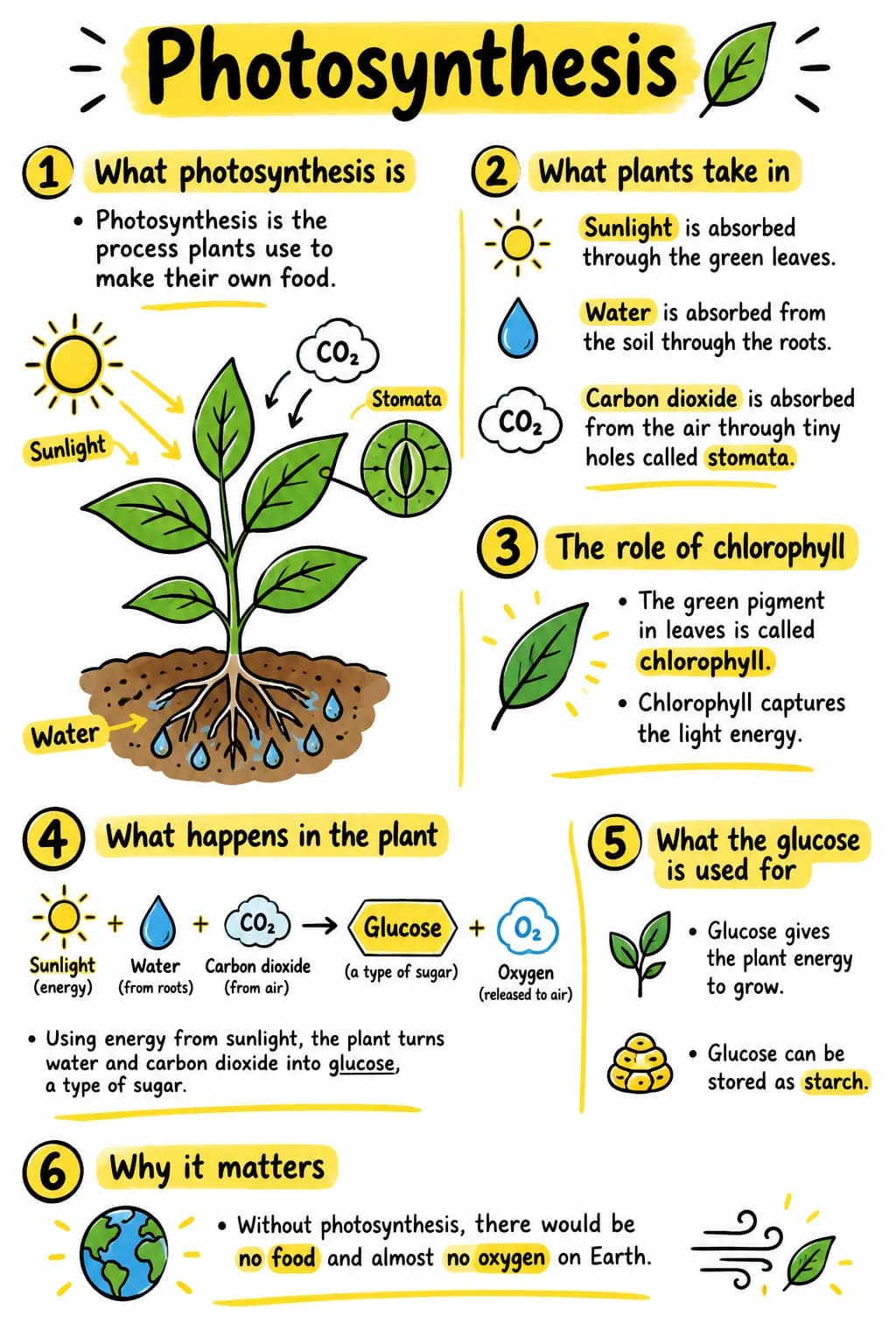
Paste them, upload a PDF or take a photo of the page. The questions are written from what is on the sheet.
Check the questions
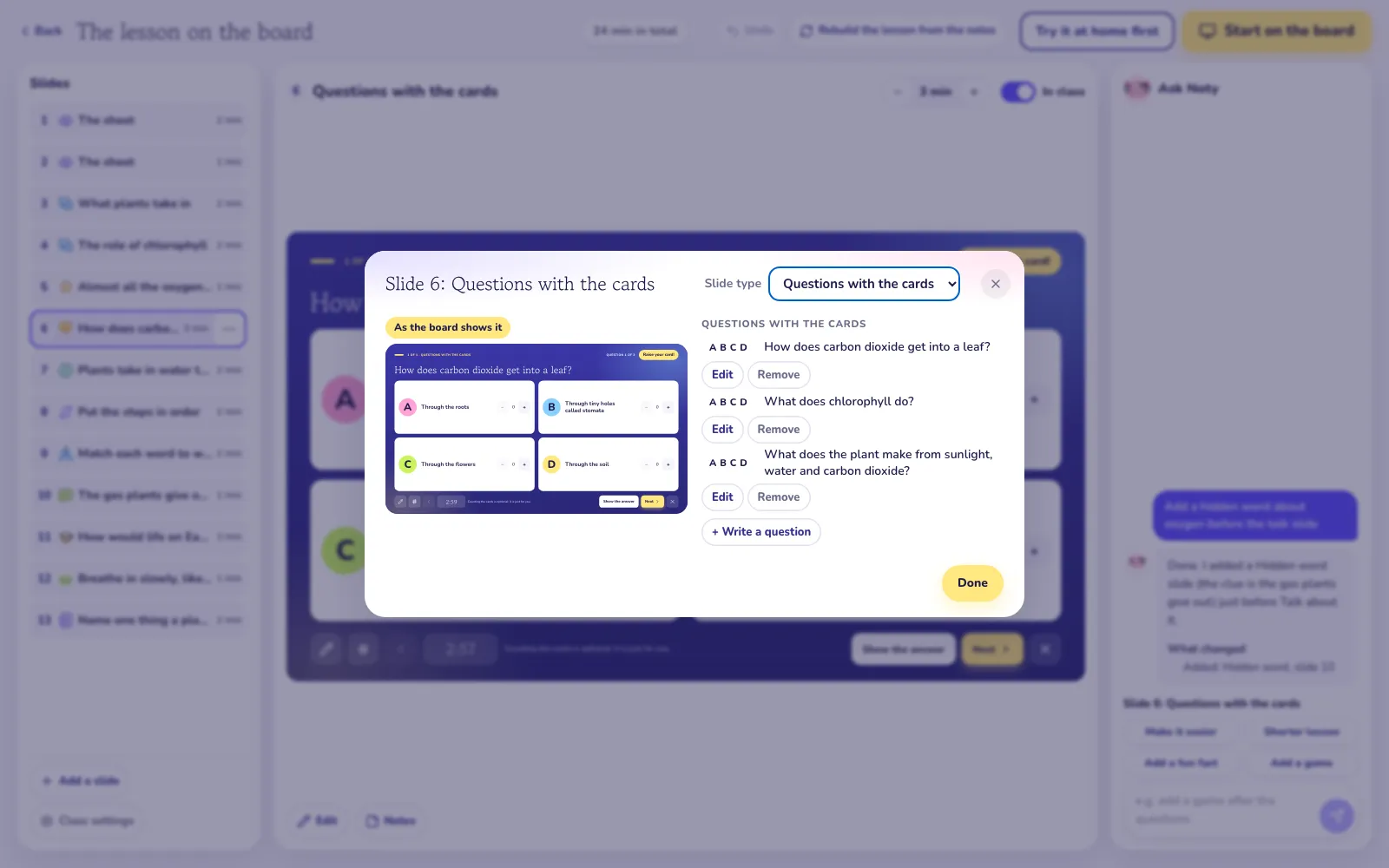
Change a question or an answer in its popup, add your own, or ask Noty for three more.
Play it with the class
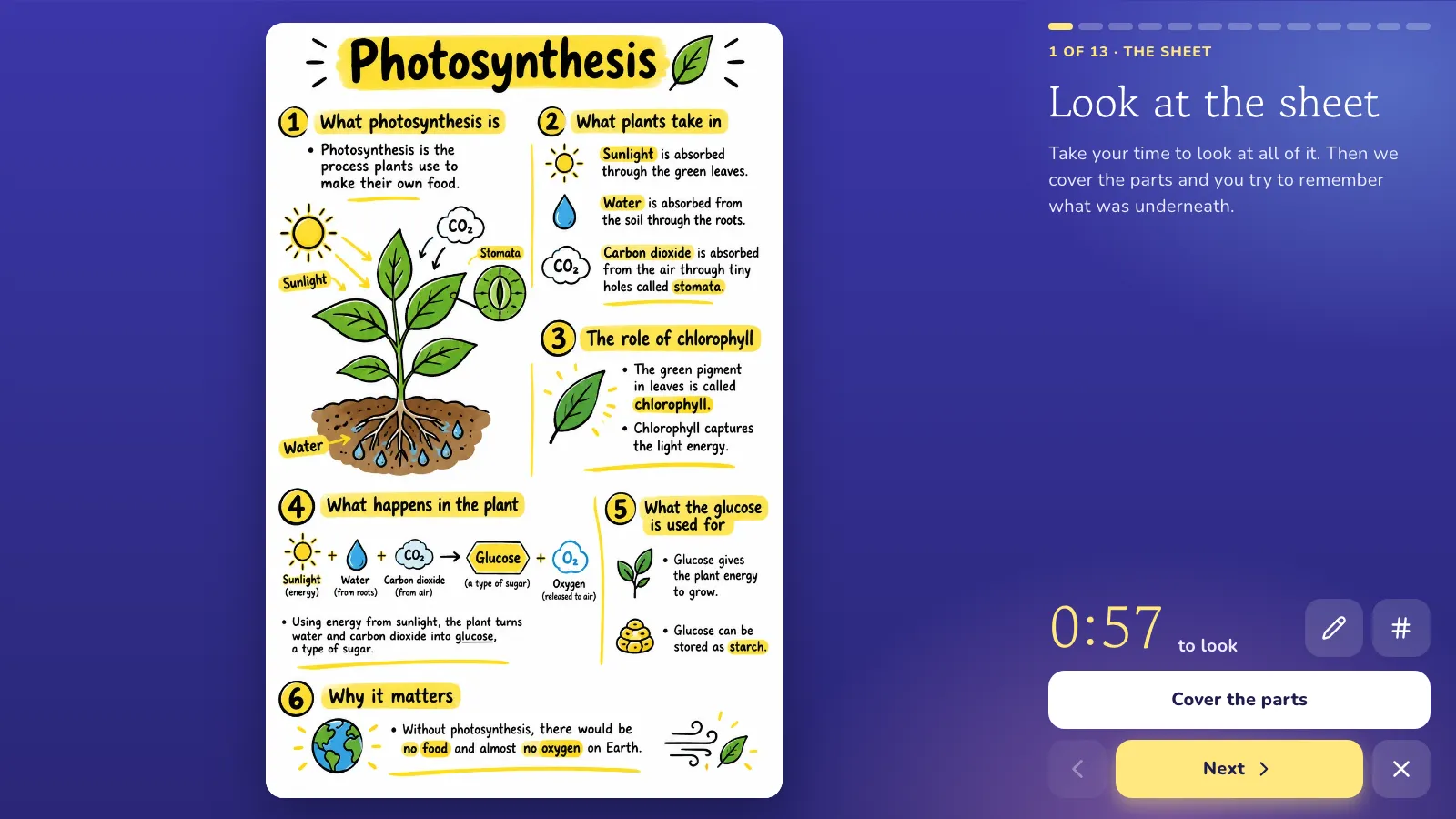
Every pupil holds up a printed A, B, C or D card. Show the answer when all the cards are up.
Eleven kinds of slide, all made for the front of the room
Every slide tells the class what to do in big letters, keeps its own time, and works with a tap on the board.
Questions with the cards
Questions with A, B, C, D answers. Pupils raise a printed card, you show the answer.
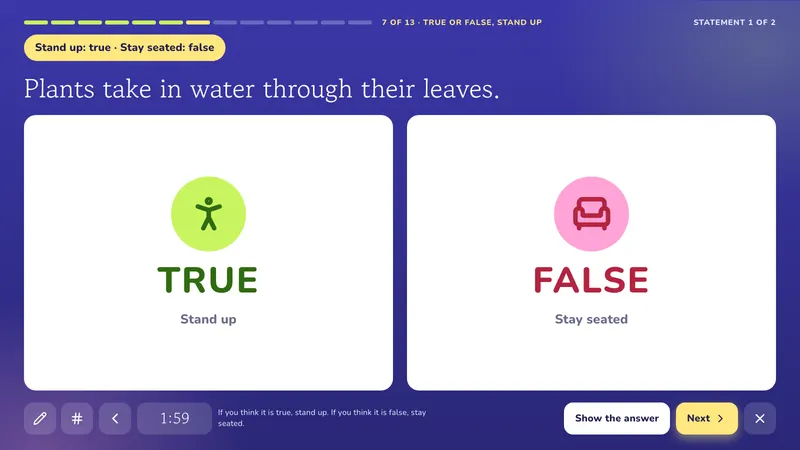
True or false, stand up
Stand for true, stay seated for false. The whole class answers at once.
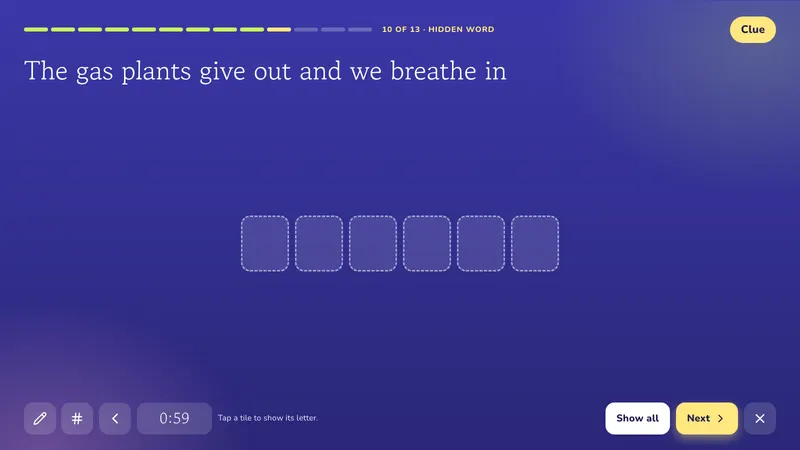
Hidden word
A clue and a word hidden letter by letter, uncovered one tile at a time.
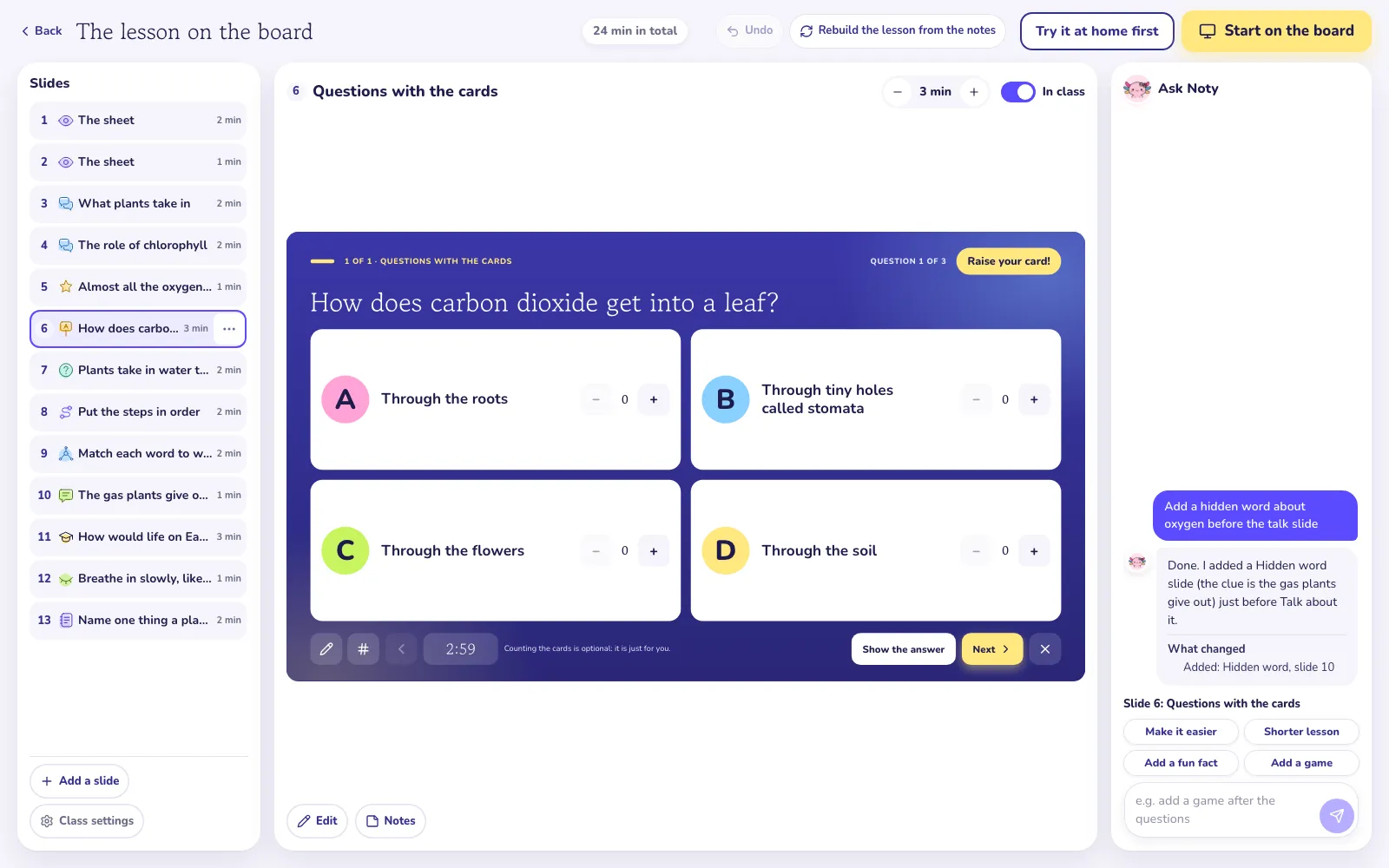
Change any slide yourself, or ask Noty
Every slide opens in a popup you can edit: the text, the minutes, the part of the sheet, your own notes. Or tell Noty, the assistant beside the slides, what you want in plain words, and undo it with one tap if you do not like it.
Add a hidden word about oxygen before the talk slide
Built for a real lesson, not a slideshow
A pen on every slide
Write and draw over the slide with your finger. The marks go when you move on.
Draw a number
Picks a number from the class list at random, so the same hands are not always up.
Timers that ring softly
Each slide has its minutes. You can always move on sooner.
Rehearse before class
Run the lesson on your own screen with every button explained. Nothing is saved.
Share it with pupils
One link for the class: pupils save the lesson as a read only copy in their own account and go over it at home.
Try three lessons a month for free
The visual of a note is drawn once. The lesson on top of it is ready in about a minute, and you can open it as often as you like.
- Free3 new lessons a month, 10 messages a day to Noty. Opening a lesson you already made never counts.
- Plus, $13.99 a monthUp to 10 new lessons a day, Noty without a daily limit, plus everything else in VisualNote AI.
- Pictures on requestA slide can get its own drawn picture. Each one uses 1 visual, and Noty asks before it draws.
Questions teachers ask
Where do the A, B, C, D cards come from?
Print them from the lesson: four A4 pages, one big letter each, easy to read from the board. Print a set per pupil; nobody needs a phone or a tablet.
Is it like Kahoot?
It is a whole class quiz game too, but no pupil needs a phone, a tablet or a login: everyone raises a printed A, B, C or D card, and the board shows the answer with a short reason. AI writes the questions from your own notes.
Can I play just the quiz?
Yes. Quiz on the board plays only the questions, without the rest of the lesson, so it fits the last ten minutes of any class.
Where do the questions come from?
From your note. VisualNote writes them from what is on the sheet, and you can change, add or delete any question, or ask Noty for new ones.
What happens after the answer is shown?
The right answer lights up and a short reason explains it. Then the next question comes up, or you draw a number from the class list to ask someone why.
Is the whiteboard quiz free?
You can make 3 new lessons a month for free, quiz included. Plus makes up to 10 new lessons a day, with every other VisualNote feature.
More for teachers
A quiz the whole class plays at once.
Make a note, turn it into a lesson, and play it on the board tomorrow morning.
Make a quiz for the board