
Create the exam online. The answer key comes with it.
Say the subject, the grade and how many questions. The exam lands on a real page, every question carries its points, and the key is derived from the same answers, so the two never disagree.
Create an exam freeNo credit card. Build, edit and preview free. Your first test downloads free, the rest come with Plus.
What comes out of the printer
This is the test. Not a preview of it.
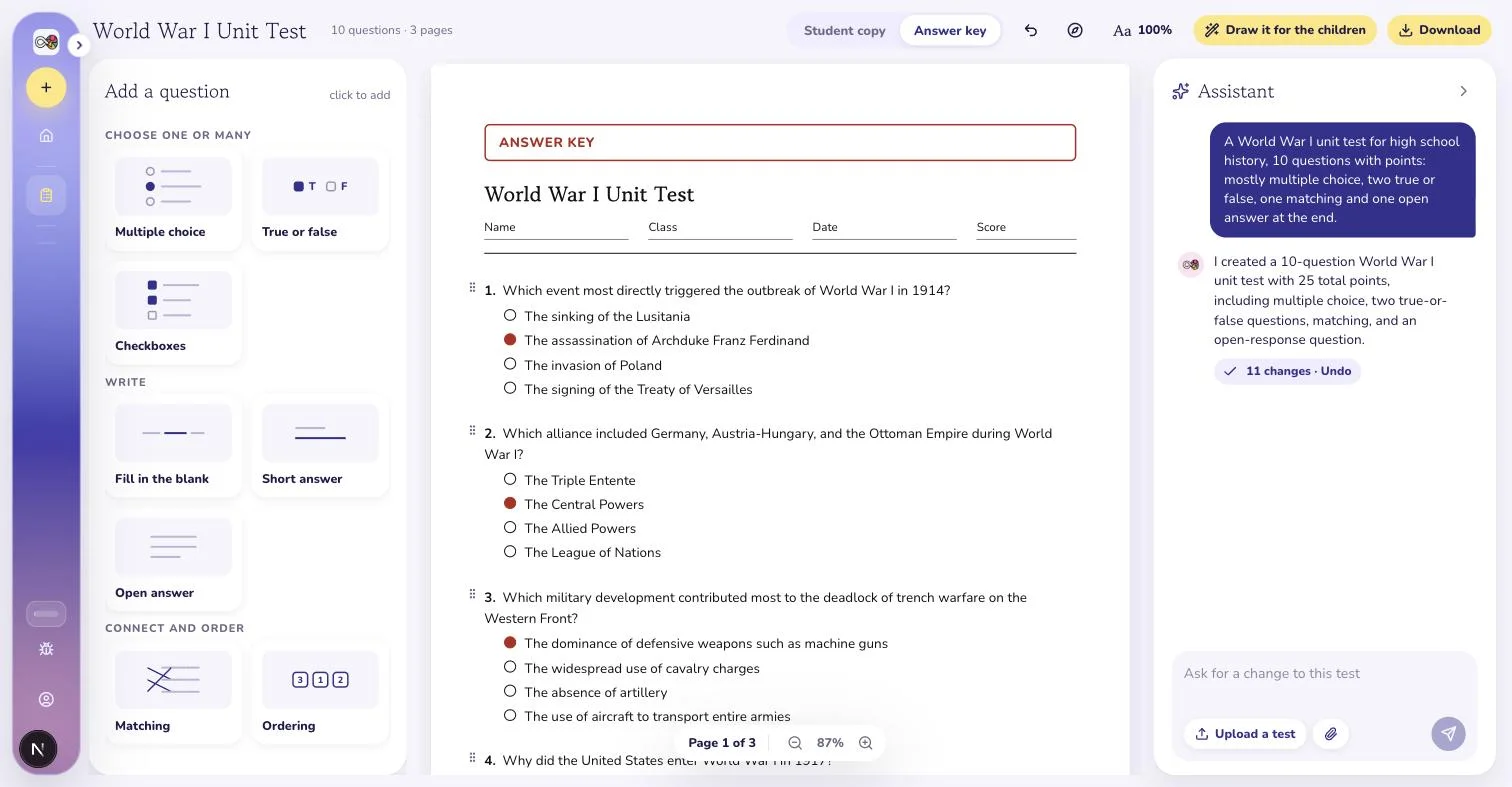
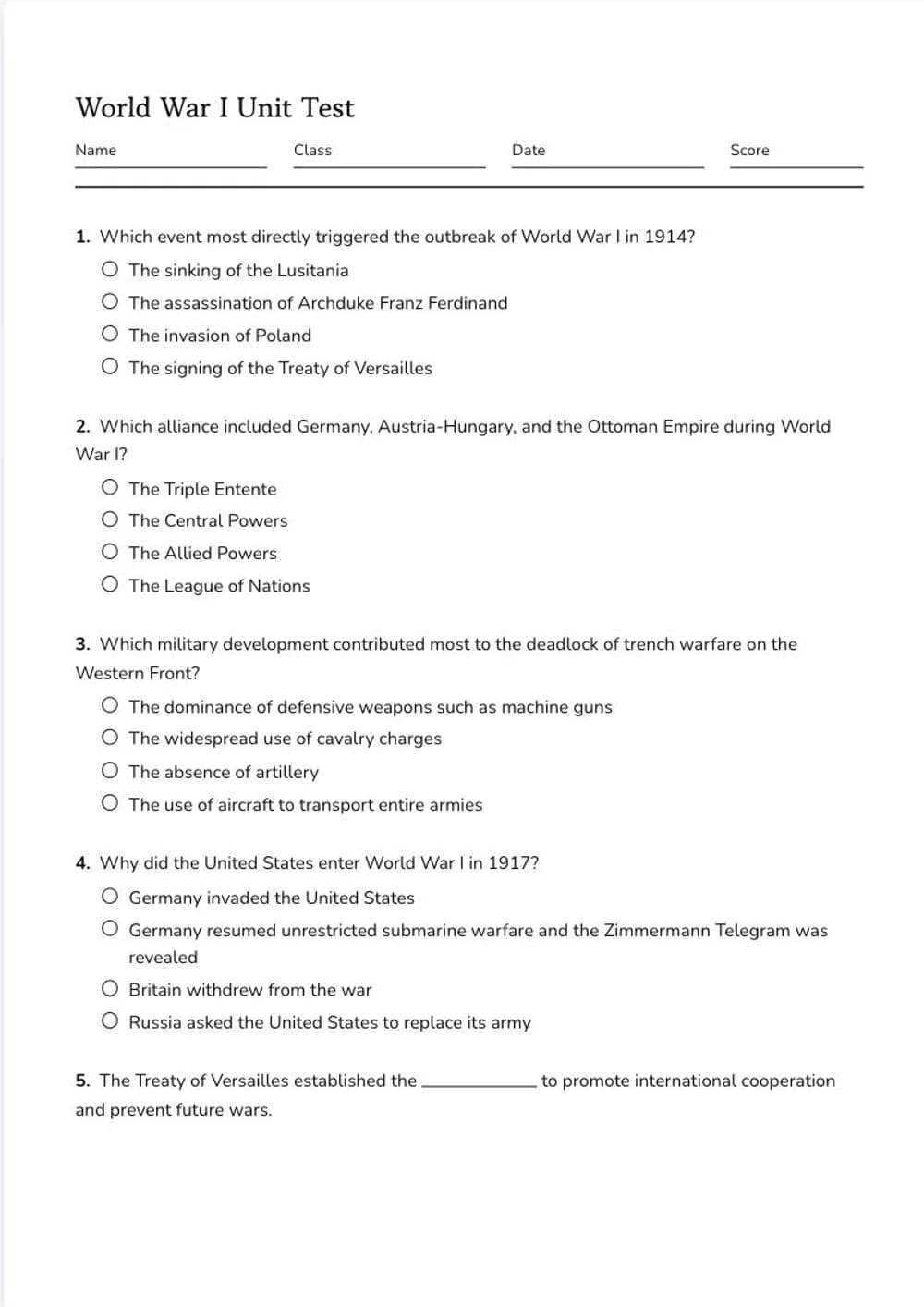
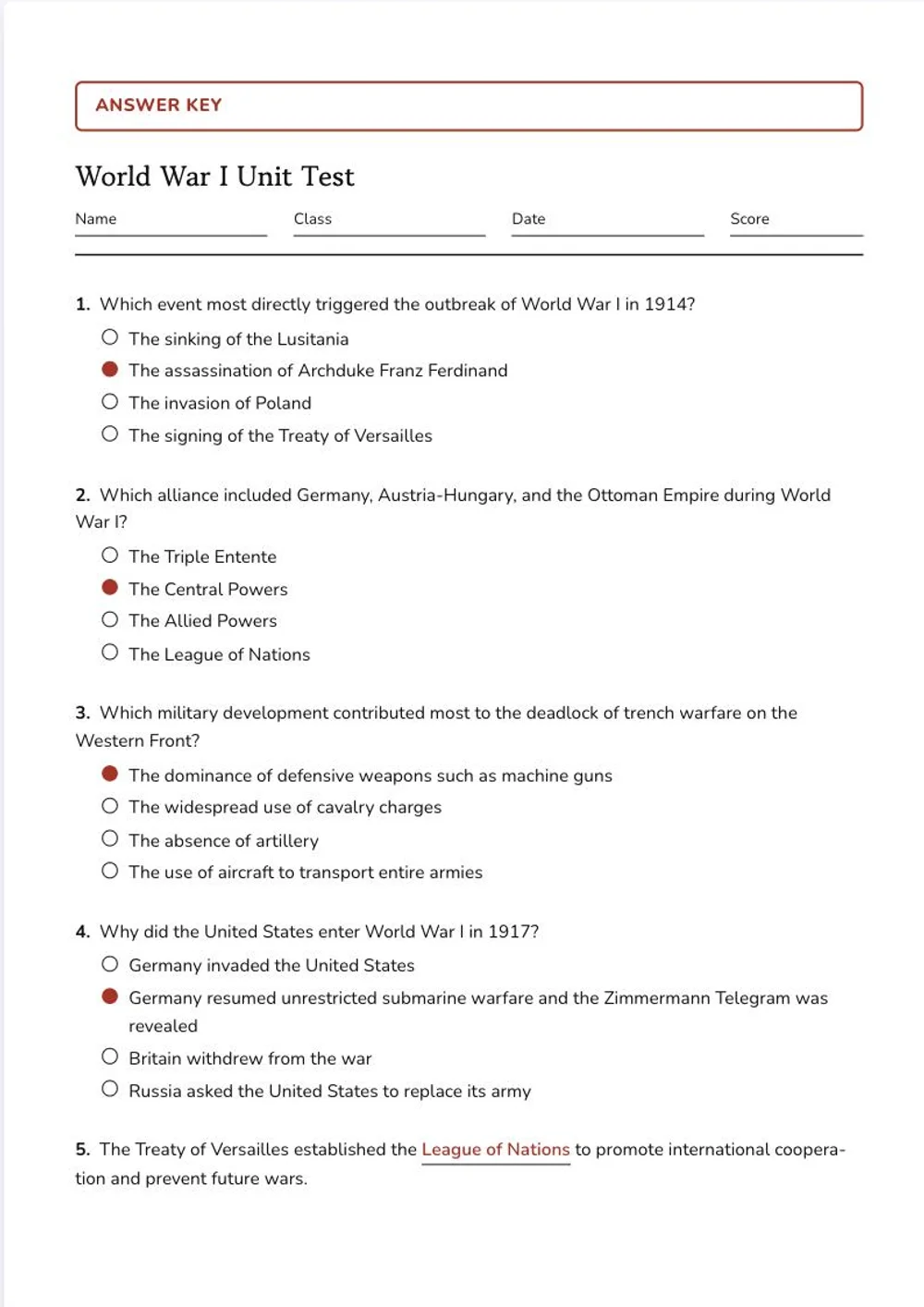
A high school World War I unit exam, ten questions and 25 points. Left, the page the class sits. Right, the key with every answer in red and the points totalled.
- A real A4 or Letter page with name, class, date and score fields at the top.
- The answer key is the same document with the answers filled in red and the points totalled. It cannot disagree with the test.
- Pages fill on their own. A table is never cut in half.
- What you see on screen is what the printer gives you, page for page.
Watch a test go through
4 steps, scroll sideways
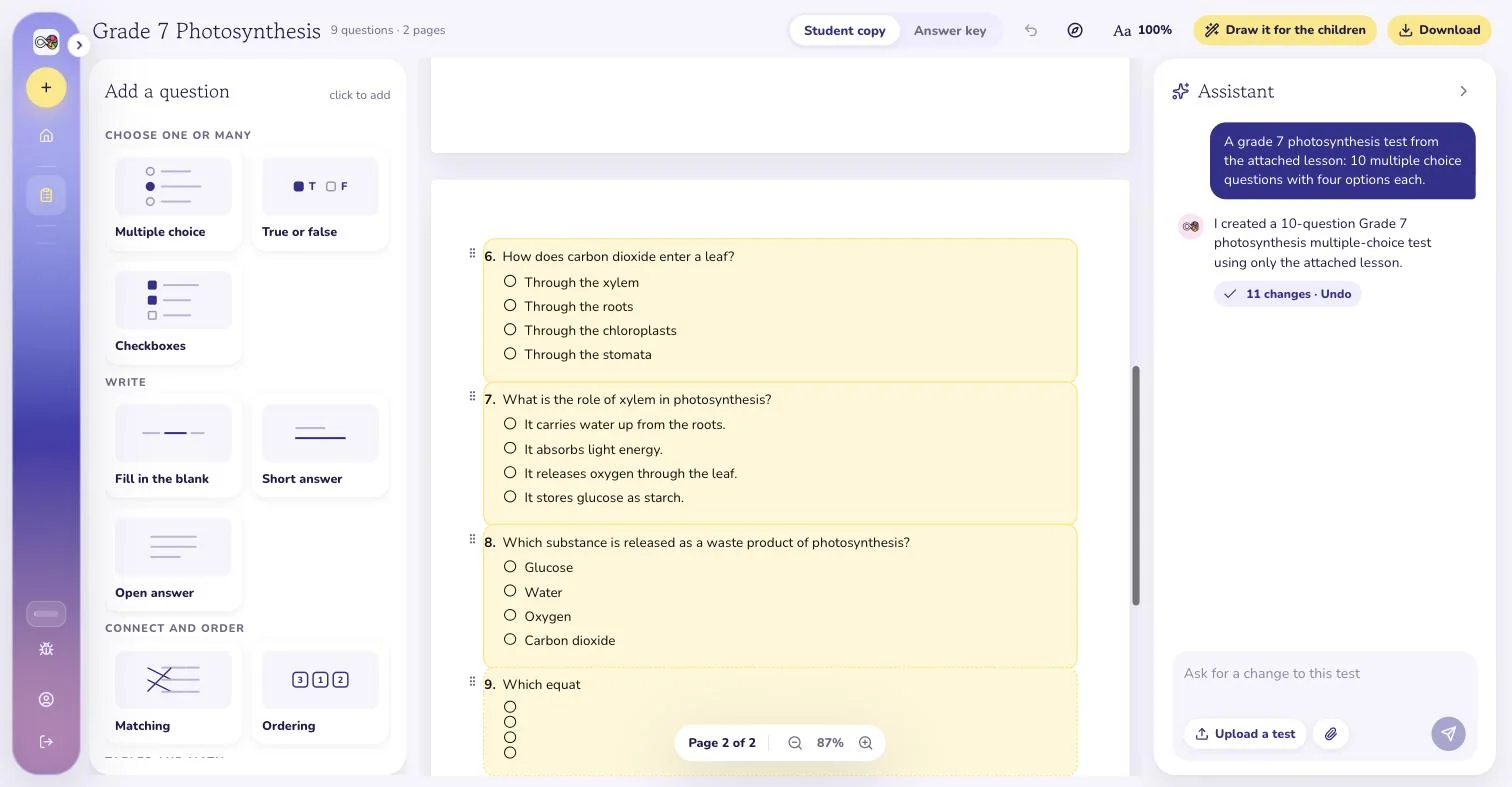
Describe the exam: subject, grade, how many questions, which types. It writes onto the page.
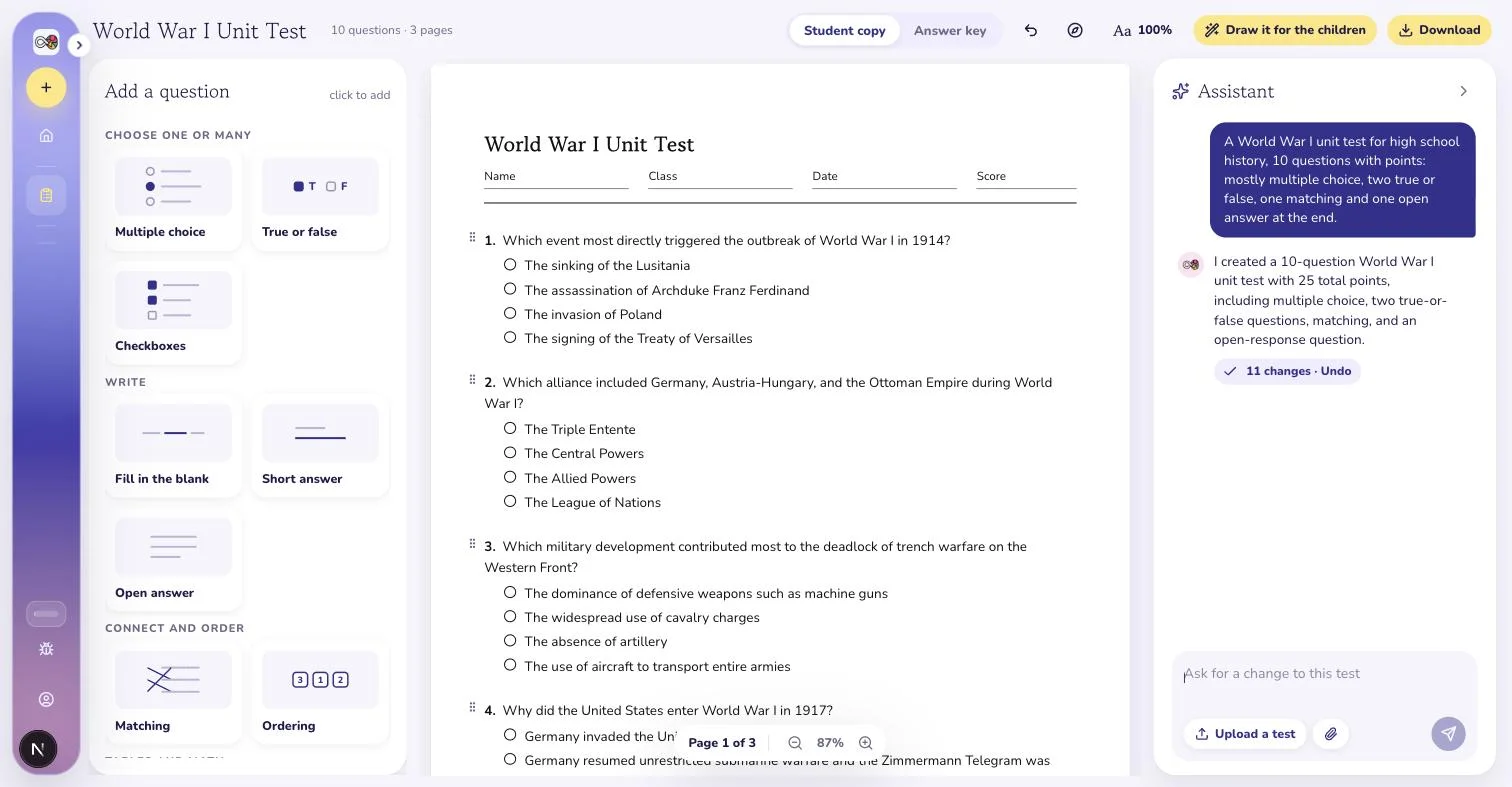
The exam is a real page. Reorder, edit or add questions from the cards on the left.
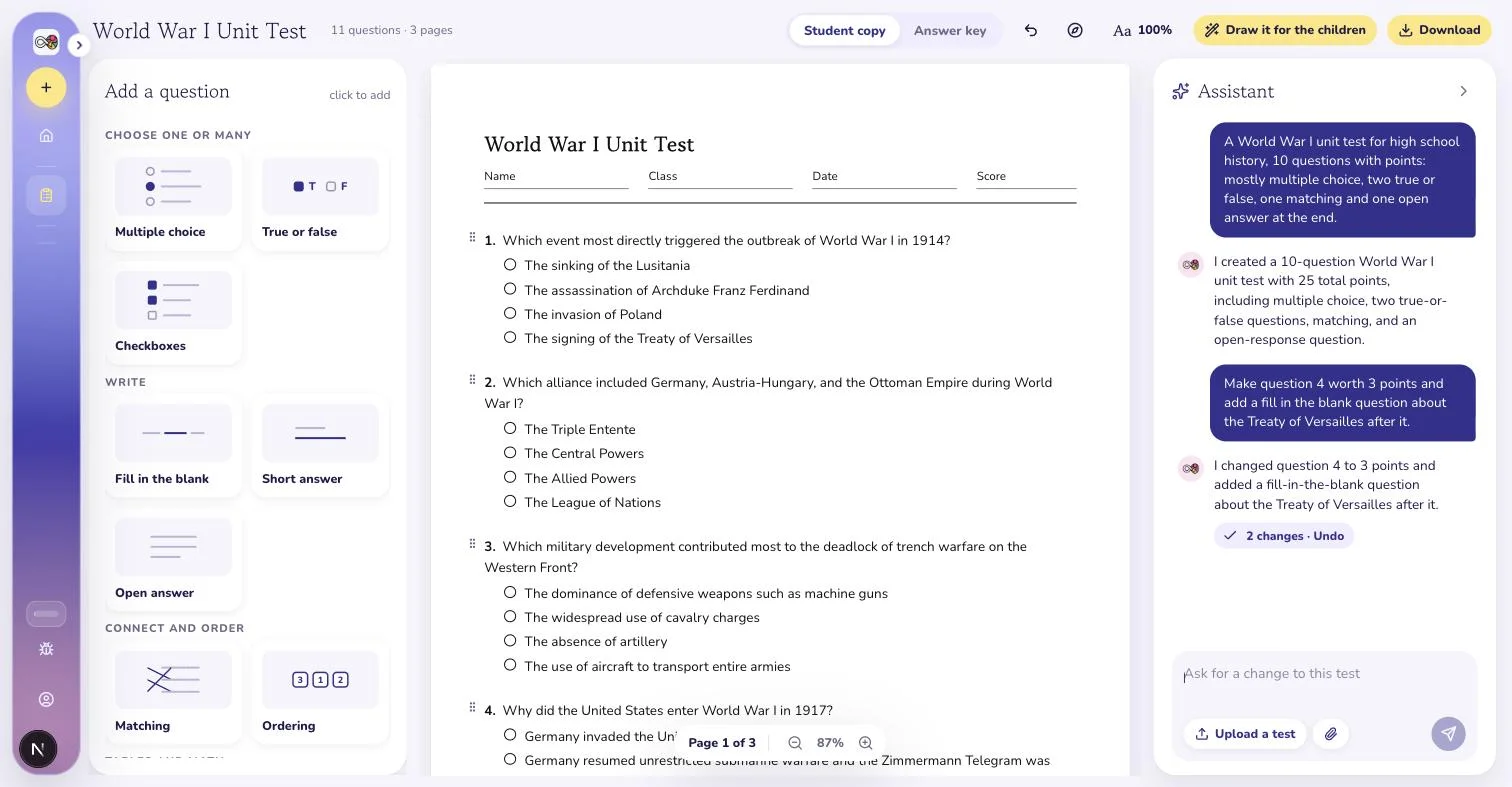
Ask for a harder question 4 or three more on the treaty. Each reply is one undo step.
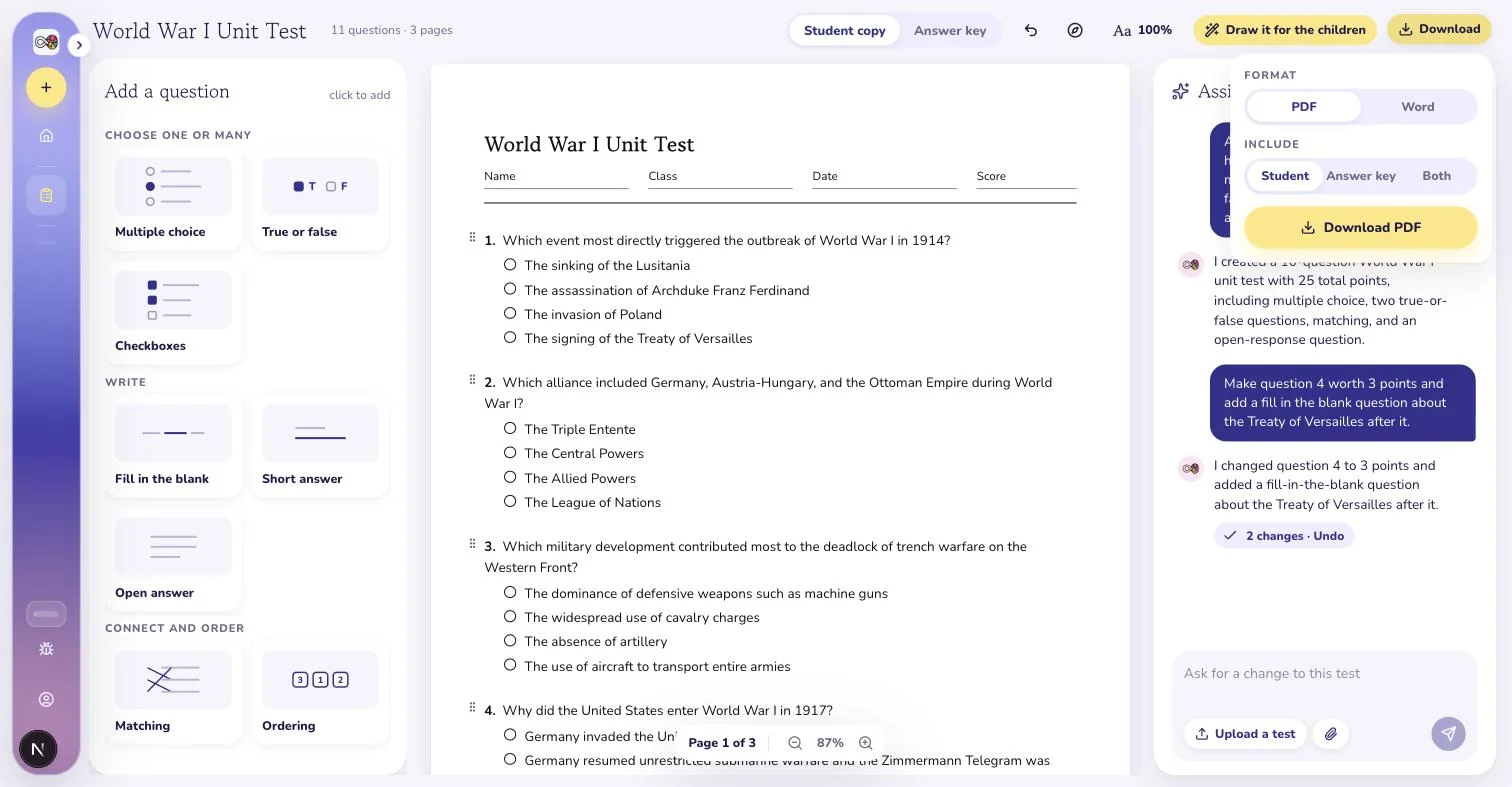
Download the exam and its key as PDF or Word, separately or in one file.
What you bring, what you get
You bring
- The subject, the grade and how many questions
- The question types you want and the points per question
- Optionally, the lesson or chapter to write the exam from
- Or an old exam, as a photo or PDF, to rebuild and update
When the request is too thin, the assistant asks before it writes: which grade, which topics, how many questions, with a proposal you accept in one click.
You get
A printable test
Real pages, numbered questions, writing space that matches the question. Points shown when you want them.
The answer key, for free
Derived from the answers inside the questions, so it is never out of date and never a second document to maintain.
PDF and Word
Student copy, answer key, or both in one file. Word keeps the layout, with tracing lines and arithmetic grids simplified.
An assistant that edits
Ask for a harder question 4, a word bank on question 6 or a section title. Every change is one undo step.
A drawn copy for younger classes
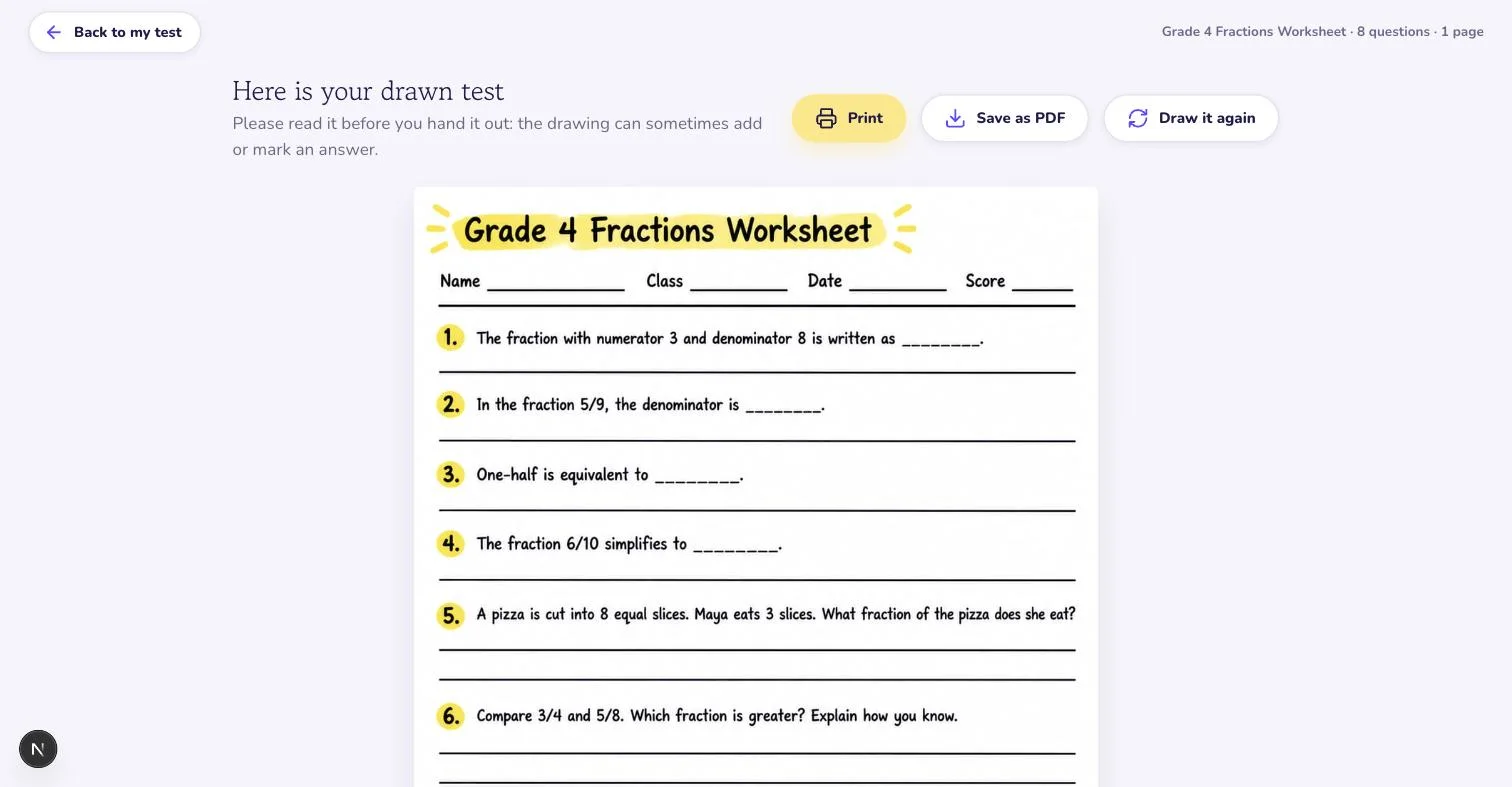
Press Draw it for the children and the same questions come back as a hand drawn page, in a style you pick.
Eleven question types, one page.
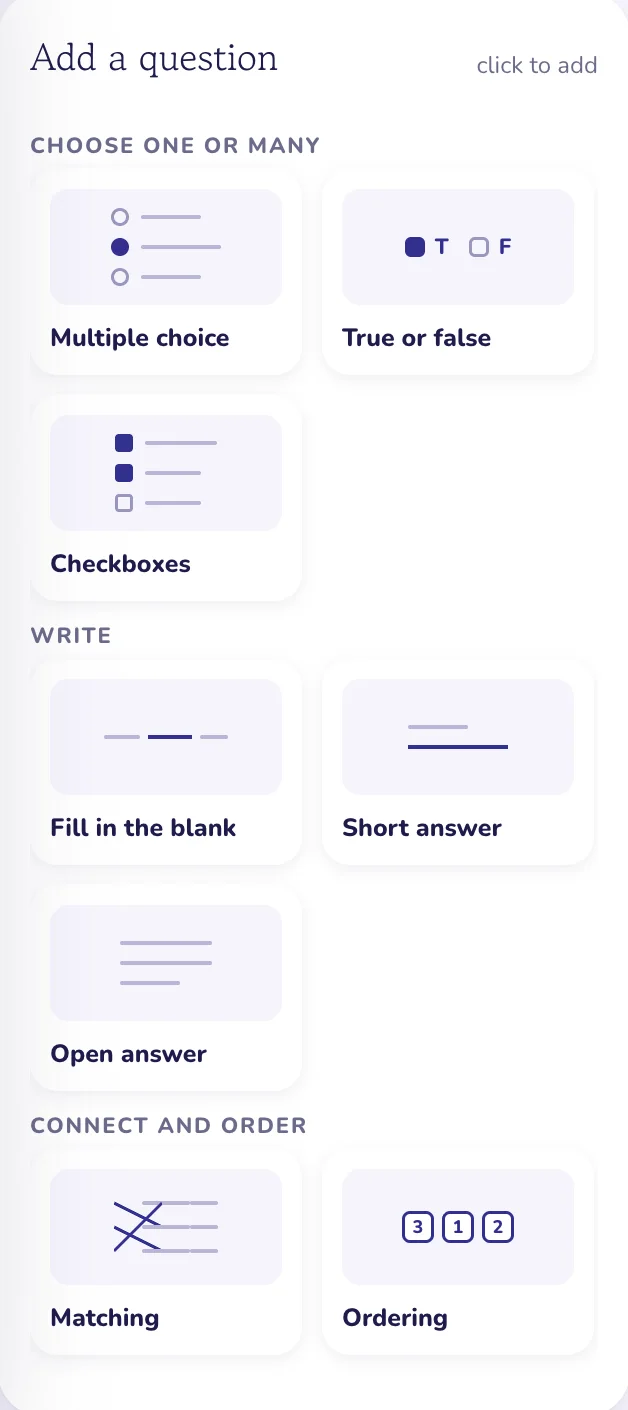
Pick a card and the question is added after the one you selected, with its form open. Section titles and instruction blocks sit between them. Rows can hold two or three questions side by side, the way worksheets for young children are laid out.
Choose one or many
- Multiple choice
- True or false
- Checkboxes
Write
- Fill in the blank
- Short answer
- Open answer
Connect and order
- Matching
- Ordering
Tables and math
- Table fill
- Column math
Practice
- Tracing
Layout
- Section title
- Instructions
Say what you want changed. Watch it change.
The assistant sits beside the page. Ask it to add three questions on the treaty, turn question 2 into true or false, or make the whole test easier for grade 6. It edits the questions in place, leaves a receipt under its reply saying what it touched, and one reply is one undo step. When your request is too thin it asks first, with a proposal you accept in one click, rather than guessing a grade or a length.
Free to build. Your first test prints free too.
Building, editing, previewing and the answer key on screen cost nothing. Your first test downloads free; after that, downloads come with Plus.
- FreeKeep 3 tests, 10 assistant replies a day, one PDF upload. Build and preview every test in full.
- Your first test, freeDownloads free: PDF and Word, student copy and answer key, drawn copy without watermark. Every other test needs Plus.
- Plus, $13.99 a monthUnlimited tests and downloads, no daily count on the assistant, plus everything else in VisualNote AI.
The same test, drawn for the children who read slowly.
One button turns the page you are looking at into a hand drawn sheet in a style you choose: the questions in place, the blanks left blank. Each page costs one drawing from your monthly visuals. Read it before you hand it out: a drawing can occasionally add or mark an answer, so the exact copy is always the PDF.
FAQ
How does the exam generator work?
You describe the exam in one message: the subject, the grade, the number of questions and the types you want. The assistant drafts it onto a real A4 or Letter page, question by question, with points on each. If the request is too thin it asks first and proposes a scope, so you never get a guessed exam. Then you edit on the page or by chat until it is right.
Does the exam come with an answer key?
Always. The key is not a second document: it is the same exam with the answers filled in red and the points totalled, derived from the answer stored inside each question. Edit a question and the key follows. You print the student copy, the key, or both in one file.
Can I set points and a score box?
Yes. Every question carries its points and the answer key totals them at the top. The header of every sheet has name, class, date and score fields, so the score box is already there when you mark it.
Can I make an exam from my own lesson material?
Yes. Attach a PDF, a text file or a paste to the request and every question must be answerable from that material alone. A question the material does not support is dropped rather than invented.
Is the exam generator free?
Building the exam is free: 3 tests kept, 10 assistant replies a day, one PDF upload, the whole exam and its key visible on screen. Your first exam downloads free (PDF, Word, answer key, drawn copy without watermark); every other exam needs Plus, at $13.99 a month.
Related tools & guides
Create the exam online. The answer key comes with it.
Free to try, no credit card.
Create an exam free